Duophonic
A menu bar app that sends sound to two devices together — two pairs of AirPods, headphones and speakers, or any two outputs — and keeps them in sync.
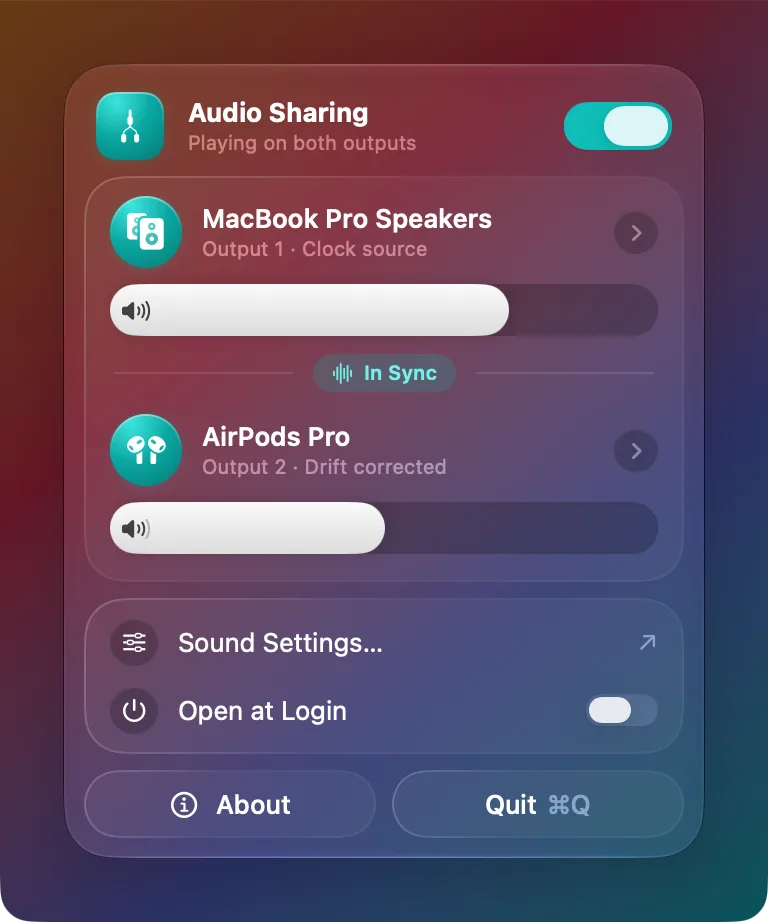
Two people, one laptop, one film. On an iPhone you tap Share Audio and both pairs of AirPods play. On a Mac, the sound menu lets you pick exactly one output.
macOS can play to several devices at once, through a Multi-Output Device in Audio MIDI Setup. But it takes six steps, breaks the volume keys, and stays in your output list until you delete it by hand. Duophonic turns all of that into one switch in the menu bar.
How to use it
- Connect both outputs. AirPods, Bluetooth headphones, built-in speakers, USB, HDMI: anything that shows up as a sound output works.
- Click the Duophonic icon in the menu bar and pick Output 1 and Output 2.
- Turn on Audio Sharing. Everything your Mac plays now goes to both, in sync.
To stop, flip the switch off, quit, or just pick another output in Control Center.
Why not Audio MIDI Setup?
It's the same idea, without the chores:
- One switch instead of six steps in a utility.
- A volume slider per device. With a Multi-Output Device the volume keys simply stop working.
- Swap either output while playing. Picking the device that's already in the other slot swaps the two.
- Cleans up after itself. Your normal output comes back and the temporary device is gone.
How it works
When you turn on sharing, Duophonic creates a private aggregate device through Core Audio, with your two outputs inside it.
- Output 1 is the clock. It plays without resampling and sets the timing.
- Output 2 follows it with drift correction, so the two don't wander apart during a long film.
- Your previous outputs are saved first, for sound and for alerts, so they come back even if the app is killed.
Duophonic also watches the hardware. AirPods go back in their case, a monitor gets unplugged, someone picks another output: it notices and does the sensible thing. A device that reconnects rejoins playback. On launch it cleans up anything a crash left behind, and only ever touches its own devices.
All Core Audio access sits behind a small protocol with an in-memory fake, so the whole lifecycle is unit tested without a real device.
Free and private
No account, no tracking, no network access. Duophonic runs in the macOS sandbox and is open source under the MIT license.
Unzip it, drag it to Applications and open it. If macOS can't verify the app, click Open Anyway in System Settings → Privacy & Security. Found a bug or have an idea? Open an issue on GitHub.